3D Text Generator
Type a name or a word, choose a font and download a print-ready STL or two-colour 3MF. Add a base plate or a keychain hole if you want one. It all happens in your browser.
Switching language reloads the page; your text and settings go back to the defaults.
Loading the font engine…
How to make 3D text for printing
Making printable text takes four short steps, and the preview updates as you go.
- Type your text. Use up to 24 characters: a name, a word, a house number or a short phrase.
- Pick a font and a size. The letter height is the height of a capital H, in millimetres. Thickness is how far the letters stand out.
- Decide on a base. Keep the rounded base plate for a name tag or sign, add a keychain hole if you want to hang it, or turn the base off to print the letters alone.
- Download and slice. Take the 3MF if your printer can do two colours, or the STL for any slicer, then print as usual.
Below the settings, a line under the buttons reports the triangle count, the overall size in millimetres and whether the mesh is closed. Check the size before you print: it is the real size of the file you will download.
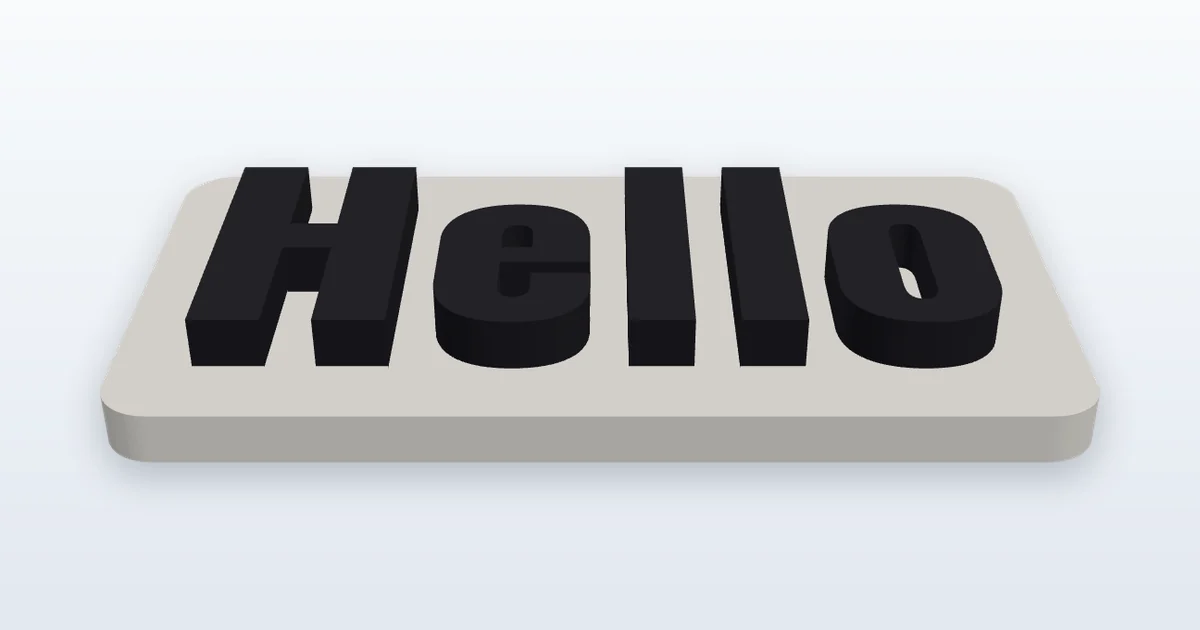
Choosing a font for 3D printing
A font that looks great on screen can be a poor choice for a printer. Printers deposit plastic in lines about 0.4 mm wide, so a stroke thinner than roughly 0.8 mm may come out fragile, uneven or missing. Bold sans-serif and chunky display faces are the safest; thin scripts and hairline serifs are the riskiest.
The tool offers six fonts:
- Oswald Bold is a tall, condensed sans-serif that fits long names on a narrow plate.
- Bebas Neue is all capitals, clean and compact. A good pick for door signs.
- Montserrat ExtraBold is a wide, geometric and very legible face for general use.
- Pacifico is a flowing brush script. It looks friendly, but its strokes are thin at small sizes, so make the letters taller.
- Titan One is rounded and heavy, with a playful feel that suits kids' names and toys.
- Bungee is a blocky signage style with a strong outline.
All six are open-licence fonts. Their licence texts are linked in the credits at the end of this page.
When you type your text and choose a font and size, the tool measures the outlines of the letters it builds and estimates their typical stroke width: twice the area of each letter divided by the length of its outline, which suits scripts, rounded and condensed fonts alike. If it comes out under 0.8 mm you will see a warning. It is an estimate, not a guarantee, but it is a good cue to raise the letter height or switch to a bolder face.
Size, thickness and base plate
Letter height is the cap height: the height of a capital H, from 4 to 60 mm. Letters with descenders such as g or y, and accents on top of capitals, reach beyond that line, so check the overall size in the report. A good starting point is 10 to 15 mm for a keychain and 25 to 40 mm for a desk or door sign.
Thickness is how tall the letters stand, from 0.4 to 10 mm. For text on a base plate, 1.5 to 3 mm is typical: enough relief to feel and see, and it prints quickly. Taller letters are more fragile and take longer.
The base plate is a rounded rectangle that follows the text. The margin (1 to 15 mm, 3 mm by default, at least 2 mm with a keychain hole) is the border left around the letters, and the base thickness (1 to 10 mm, 2 mm by default) sets the plate height. A thicker base feels sturdier, a thinner one saves filament.
If you type a value outside a field's range, the page uses the nearest allowed value, writes it into the field and says so in a short note. If the model is longer than 250 mm, wider than most print beds, a warning tells you to check that it fits your printer; the file is still built.
The letters are sunk 0.15 mm into the base, so the two shapes overlap slightly. That overlap lets a slicer merge them into one solid instead of leaving a hairline gap between letter and plate.
Making a keychain or name tag
Tick Keychain hole to add a round hole on the left side of the plate. The plate grows to make room for it, so the hole never cuts into your first letter. The default diameter is 4 mm, which fits most split rings and small carabiners; widen it to 5 or 6 mm for a thicker ring or a cord.
A few practical tips:
- The margin is also the wall around the hole, so with the hole on it is at least 2 mm: a smaller margin is raised to 2 mm and a note says so. A larger margin gives the ring more material to pull against.
- Use a base thickness of 2 mm or more. Keychains get tugged and dropped, and a thin plate cracks first at the hole.
- For a name tag meant to stand or hang on a wall, make the letters at least 8 mm tall so they read at a distance.
- Switch the keychain hole off when you want a plaque to glue, magnet or screw somewhere.
Printing tips: 3MF or STL, layers and orientation
3MF or STL? The 3MF file keeps the base and the text as two separate coloured objects, using the colours you picked. Slicers that handle several filaments let you assign one to each, and some show the colours straight away. The STL download is a .zip containing base.stl and text.stl, because STL holds a single mesh with no colour (the names base.stl and text.stl apply only inside that zip). Import both files together and some slicers will offer to keep them as one multi-part object, which preserves their alignment. If you print the letters only, you get one STL file named after your text (for example anna.stl).
One colour or two? If your printer has one extruder, you can still make a two-tone piece by pausing at the layer where the letters begin and swapping filament. Look up the pause or colour-change option in your slicer. For a single colour, just print everything in one filament.
Layer height. 0.2 mm works well for most text. Use 0.12 to 0.16 mm for small letters or curved scripts to keep the edges clean. A 0.4 mm nozzle gives clean results with strokes of 0.8 mm and wider.
Orientation. Print the model flat, with the letters facing up. The shape has a flat bottom and straight sides, so no supports are needed. A well-adhered first layer matters most: wash the build plate if the base lifts.
QR codes are another popular object to print this way. If you want a scannable code on the same piece, read our guide to QR size and contrast or open the QR code generator. For background on the formats, see what 3MF and STL files contain.
Characters, accents and limits
You can enter up to 24 characters per model; when you reach the limit, or paste a longer text, a note under the field tells you. The six fonts contain the same characters, and the tool is checked with every one of these:
- Letters: A to Z and a to z.
- Accented and special letters: À Á Â Ã Ä Å Æ Ç È É Ê Ë Ì Í Î Ï Ð Ñ Ò Ó Ô Õ Ö Ø Ù Ú Û Ü Ý Þ ß à á â ã ä å æ ç è é ê ë ì í î ï ð ñ ò ó ô õ ö ø ù ú û ü ý þ ÿ Œ œ
- Digits: 0 to 9.
- Symbols: ! " # $ % & ' ( ) * + , - . / : ; < = > ? @ [ \ ] ^ _ ` { | } ~ ¡ ¿ €
That covers names in English, Spanish, German, French, Portuguese and most other Western European languages. Letters from other Latin alphabets, such as Polish Ł, Czech Č, Hungarian Ő or Turkish Ğ, are not available in these fonts: they are skipped, and a warning lists them together with the supported letters. Emoji and other alphabets are skipped the same way. If none of the characters exist in the chosen font, the tool tells you so instead of producing an empty file.
Downloaded files are named after the characters that were drawn, in plain letters and digits: accents are removed (María José gives maria-jose.3mf), skipped characters are left out, and a text with nothing left gives text.3mf.
A few glyphs are known to be difficult in some fonts. The hash sign # is a good example: its thin crossing bars often end up too slim to print. The page names these characters in a warning when you use them with a font where they can cause trouble.
After every change the tool checks the mesh and reports whether it is closed. A closed mesh is watertight, which slicers need for a clean result. If the report ever says the mesh has open edges, open the file in your slicer and look at the preview before committing to a long print.
Font credits and licences
The fonts in this tool are published under the SIL Open Font License 1.1, which allows them to be used in creative work and products. These are the fonts and their licence texts:
- Oswald: licence
- Bebas Neue: licence
- Montserrat: licence
- Pacifico: licence
- Titan One: licence
- Bungee: licence
Thanks to the type designers who released their work under an open licence.
Is this tool free, and is my text private?
Yes, it is free to use. The 3D model is built inside your browser, so the text you type is not sent to a server.
Which file should I download, 3MF or STL?
Choose 3MF if your slicer supports several colours or filaments: it keeps the base and the text as two coloured objects. Choose STL for any other case. With a base plate, the STL download is a zip containing base.stl and text.stl.
Will the files open in Bambu Studio, PrusaSlicer, Cura or OrcaSlicer?
STL and 3MF are standard formats that these slicers can open. Colour handling for 3MF varies from program to program, so check how your slicer treats the two objects after importing them.
Can I use my own font?
Not yet. For now you can choose between the six fonts in the list, all of them with open licences.
Why do some letters look thin, and what does the warning mean?
Printers lay plastic in lines about 0.4 mm wide, so strokes under roughly 0.8 mm can print weakly. The warning is an estimate of the stroke width of the letters you typed, at your chosen font and size, so changing the text can change it too. Make the letters taller or choose a bolder font to clear it.
Can I print the letters without a base?
Yes. Untick Add a base plate and you get the letters alone, as one object in the 3MF or one STL file named after your text. Letters printed alone need a flat surface to sit on, so check that they touch the bed.
Can I sell things I print with these files?
The files you generate are yours to print, give away or sell. The fonts carry the SIL Open Font License 1.1, and their licence texts are linked in the credits above. This is general information, not legal advice.